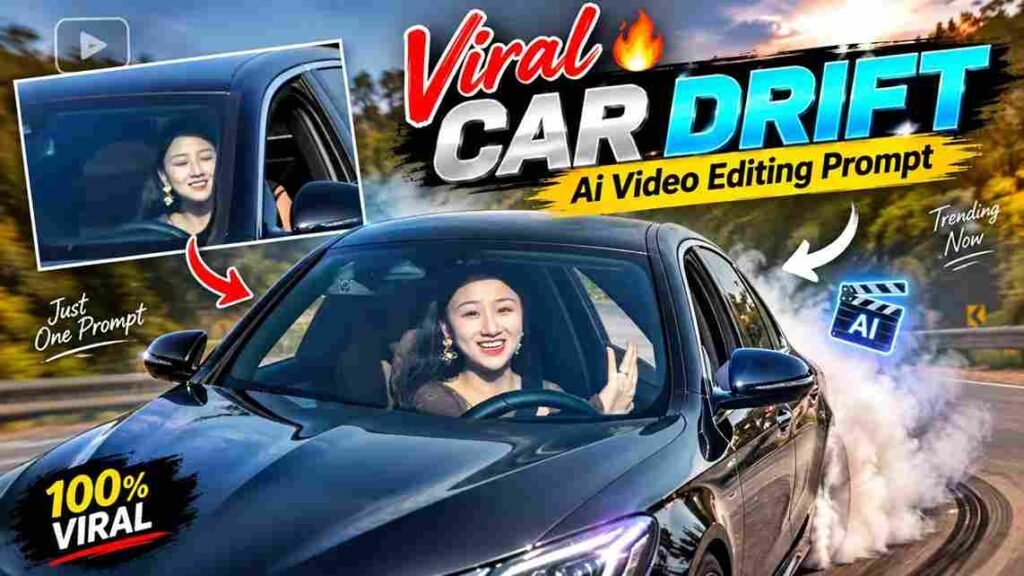
Car drift videos are becoming increasingly popular among AI creators, car enthusiasts, and social media users. With modern AI video editing tools, you can now turn a simple car photo into a cinematic drifting video without using a professional camera or filming an actual drift.
The Trending Car Drift AI Video Editing Prompt 2026 can help you create realistic car movement, tire smoke, motion blur, cinematic camera angles, and dramatic environments from a single image.
Whether you want to create an Instagram Reel, YouTube Short, TikTok-style video, or an automotive promotional clip, the right AI prompt can make a major difference in the final result.
In this guide, you will find ready-to-use Car Drift AI Video Prompts, tips for creating realistic results, camera-angle prompts, and a simple process for converting your car image into an AI-generated drift video.
What Is a Car Drift AI Video?
A Car Drift AI Video is an AI-generated video created from a still image of a car.
Instead of recording a real car while drifting, an AI video tool analyzes the uploaded image and generates movement based on your text instructions.
For example, you can upload a photo of your car and ask the AI to show it performing a high-speed controlled drift on a road.
The generated video can include realistic tire smoke, wheel rotation, road movement, camera tracking, reflections, shadows, and motion blur.
This makes AI particularly useful for creating short automotive content for social media.
Why Are Car Drift AI Videos Trending in 2026?
AI video generation has improved significantly, making image-to-video creation easier and more realistic.
Creators can experiment with different locations, camera movements, lighting conditions, and cinematic effects without physically shooting each scene.
Car content is particularly suitable for AI video because fast movement and dramatic camera angles can create visually impressive short-form videos.
Popular Uses of Car Drift AI Videos
- Instagram Reels
- YouTube Shorts
- Automotive social media pages
- Car advertisements
- Concept videos
- Personal car edits
- Before-and-after AI transformations
- Cinematic automotive content
Best Trending Car Drift AI Video Editing Prompt 2026
The following prompt is designed to turn a car image into a realistic cinematic drift sequence.
Prompt For Google Gemini ⤵️
Prompt For Flow Ai
A night-time drift scene can create a completely different visual style.
Neon lights, wet roads, headlights, reflections, and atmospheric effects can make the video look more cinematic.
Daylight Car Drift AI Prompt
If you prefer a realistic outdoor automotive scene, use a daylight environment.
Daylight can make the car’s original color and body details more visible.
Day Drift Prompt
Create a photorealistic daytime cinematic car drift video using the uploaded image as the exact reference. Keep the original car model, paint color, wheels, headlights, body shape, windows, badges, and proportions unchanged. Show the car performing a controlled high-speed drift on an open road. Add realistic tire smoke, road dust, natural wheel rotation, subtle motion blur, and realistic tire contact with the road. Use a professional low-angle side tracking camera that smoothly follows the car during the drift. Add natural sunlight, realistic shadows, detailed asphalt texture, accurate reflections, and environmental movement. Maintain perfect car consistency from the beginning to the end. Premium automotive advertisement style, realistic physics, smooth cinematic motion, and highly detailed visuals.
How to Create a Car Drift AI Video
Creating a car drift video with AI usually requires only a good source image and a suitable image-to-video tool.
Step 1: Select a High-Quality Car Photo
Start with a clear and high-resolution image of your car.
The entire car should be visible whenever possible.
Avoid images where the car is heavily blocked by people, objects, or other vehicles.
Step 2: Upload the Image
Open your preferred AI video generation tool and select its image-to-video or image animation feature.
Upload your car photo as the reference image.
Step 3: Add the AI Prompt
Copy the Car Drift AI Prompt and paste it into the prompt field.
Describe the movement, camera angle, environment, lighting, and visual effects you want.
Step 4: Generate the Video
Generate the video and check the result.
If the car changes shape or the movement looks unnatural, modify the prompt and generate another version.
Step 5: Edit the Final Video
After generating the AI clip, you can further edit it using a video editor.
You can add:
- Trending music
- Sound effects
- Text overlays
- Speed ramps
- Transitions
- Color adjustments
- Logo or watermark
Best Camera Angles for Car Drift AI Videos
The camera angle can dramatically change how the final AI video looks.
Using specific camera instructions in your prompt can produce more dynamic results.
Low-Angle Tracking Shot
A low-angle shot makes the car look more powerful and aggressive.
Prompt:
Use a low-angle cinematic tracking camera positioned close to the road, following the drifting car smoothly at high speed while keeping the entire vehicle in frame.
Side Tracking Shot
A side shot is ideal for showing the actual drifting movement.
Prompt:
Use a dynamic side-tracking camera moving parallel to the car as it performs a controlled drift, with realistic tire smoke and natural motion blur.
Front Tracking Shot
A front-facing camera can create a dramatic automotive advertisement effect.
Prompt:
Use a low front-facing tracking camera moving backward while the car drifts toward the camera, keeping the vehicle sharp and centered with realistic motion blur in the background.
Rear Tracking Shot
A rear shot works well when you want to highlight tire smoke and acceleration.
Prompt:
Follow the car from a low rear tracking angle as it performs a high-speed drift, with realistic tire smoke, road dust, rear light reflections, and cinematic motion blur.
How to Keep the Original Car Consistent
One of the biggest problems with AI-generated videos is inconsistency.
The AI may accidentally change the car’s wheels, headlights, body shape, color, or other details between frames.
To reduce this problem, clearly instruct the AI to preserve the original vehicle.
Car Consistency Prompt
Preserve the exact identity and appearance of the uploaded car throughout the entire video. Do not change the car model, body shape, paint color, wheels, headlights, windows, badges, proportions, body lines, or design details. Do not add or remove accessories. The same car must remain visually consistent from the first frame to the last frame.
This instruction can be combined with your main drift prompt.
Car Drift AI Prompt for Instagram Reels
If your goal is Instagram Reels, a vertical composition is generally more suitable for mobile viewing.
Recommended Settings
- Aspect Ratio: 9:16
- Video Length: 5–10 seconds
- Style: Photorealistic
- Camera: Dynamic tracking
- Movement: Fast but controlled
- Subject: Car
- Composition: Keep the car clearly visible
Instagram Reel Prompt
Create a vertical 9:16 cinematic car drift video using the uploaded car image as the exact reference. Preserve every original detail of the vehicle. Show the car performing a dramatic controlled drift at high speed with realistic tire smoke, wheel rotation, road dust, motion blur, and natural road contact. Use a dynamic low-angle tracking camera that follows the vehicle smoothly. Keep the car clearly visible and centered for a vertical social media composition. Add realistic lighting, reflections, shadows, detailed road textures, and cinematic depth of field. Maintain complete car consistency throughout the video. Photorealistic automotive commercial quality, smooth motion, realistic physics, and premium visual detail.
Cinematic Car Drift Effects to Add
Adding the right visual effects can make a basic AI animation look much more dynamic.
Tire Smoke
Tire smoke is one of the most recognizable elements of a drift sequence.
Use terms such as:
- Realistic tire smoke
- Thick rear tire smoke
- Natural smoke dispersion
- Tire smoke following vehicle movement
Avoid excessive smoke that completely hides the car.
Motion Blur
Motion blur helps communicate speed.
A small amount of realistic motion blur can make the movement appear more natural.
Road Dust
For dry-road scenes, subtle dust particles can enhance realism.
The dust should follow the car’s movement rather than appearing randomly.
Reflections
Reflections are particularly effective in night scenes and wet-road environments.
You can ask the AI to add realistic reflections of headlights, street lights, and surrounding buildings on the vehicle.
Tips for Better Car Drift AI Results
Use a Clear Reference Image
The AI needs to understand the car before it can animate it.
A sharp, well-lit image generally gives the model more visual information.
Keep the Prompt Specific
Instead of simply writing “make the car drift,” describe the movement and camera.
For example, mention:
- Drift direction
- Camera position
- Speed
- Tire smoke
- Lighting
- Environment
- Motion blur
Avoid Too Many Actions
Do not ask the AI to perform several complicated actions simultaneously.
A simple controlled drift often produces a more believable result than a sequence containing multiple jumps, spins, crashes, and camera movements.
Generate Multiple Versions
AI video generation is not always predictable.
Generate several variations and select the version with the best car consistency and motion.
Common Problems in AI Car Drift Videos
Car Shape Changes
The AI may change the body shape or proportions.
Solution: Add strong car-consistency instructions.
Wheels Look Incorrect
AI-generated wheels can sometimes become distorted during movement.
Solution: Use a clear reference image and specifically instruct the AI to preserve the original wheels.
Unnatural Movement
The car may appear to float instead of making proper contact with the road.
Solution: Include phrases such as “realistic tire contact,” “physically believable movement,” and “natural suspension movement.”
Too Much Smoke
Excessive smoke can hide the vehicle.
Solution: Ask for “subtle realistic tire smoke” instead of simply requesting heavy smoke.
Final Car Drift AI Prompt
For users who want a single comprehensive prompt, the following version combines the most important elements:
Create an ultra-realistic cinematic car drift video from the uploaded car image. Use the uploaded image as the exact visual reference and preserve the original car model, body shape, paint color, wheels, headlights, windows, badges, proportions, and every visible design detail. Show the same car performing a powerful but controlled high-speed drift on a realistic road. Add natural wheel rotation, realistic tire contact, controlled rear tire smoke, subtle road dust, realistic motion blur, and physically believable vehicle movement. Use a dynamic low-angle tracking camera that smoothly follows the car from the side while maintaining the vehicle clearly in frame. Add cinematic lighting, realistic reflections, detailed asphalt, natural shadows, atmospheric depth, and realistic environmental movement. Keep the car completely consistent from the first frame to the last frame. No changes to the car design, no distorted wheels, no extra vehicles, and no unrealistic movement. Premium automotive commercial style, photorealistic details, smooth cinematic camera movement, realistic physics, dramatic composition, and high-quality visual effects.
Conclusion
The Trending Car Drift AI Video Editing Prompt 2026 makes it possible to transform a normal car photograph into an impressive cinematic video using AI.
The quality of the final result depends on three major factors: the reference image, the prompt, and the AI video generation tool.
For better results, use a high-quality car image and clearly describe the desired camera movement, drifting action, lighting, tire smoke, and environment.
Most importantly, include car consistency instructions so the AI does not unnecessarily change the vehicle’s appearance.
You can experiment with daylight, night, wet-road, neon, highway, and cinematic environments to create different versions of the same car drift video.
With the right prompt and a few generations, a simple car photo can become a highly engaging short-form automotive video for social media.