AI-generated videos are becoming increasingly popular on social media, especially on platforms like Instagram, YouTube Shorts, and Facebook. During Ganesh Chaturthi and other festive occasions, creative videos featuring Lord Ganesha can attract significant attention and engagement.
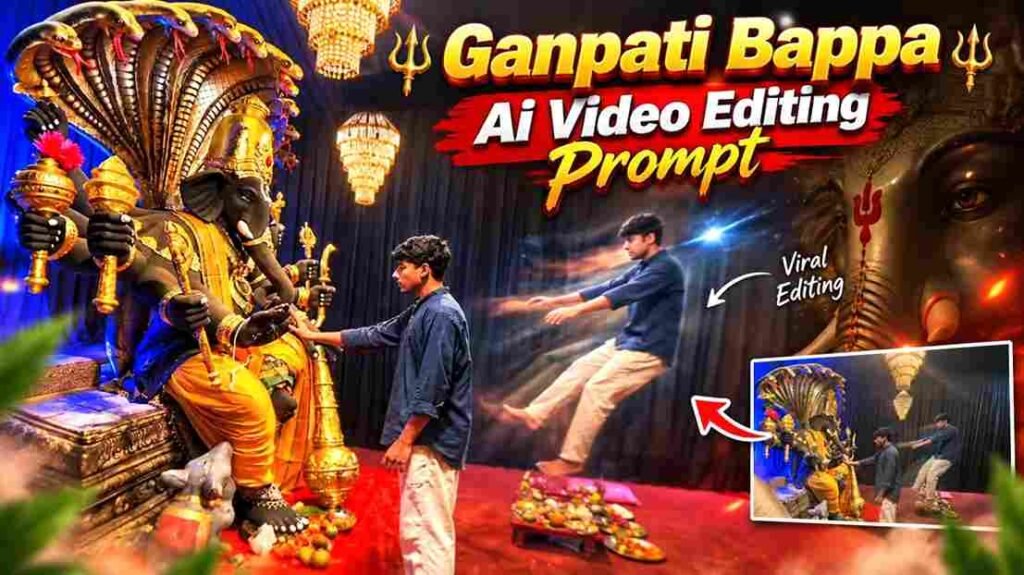
One of the latest trends is creating Ganpati Bappa AI videos using your own photo. With the help of AI video generation and editing tools, you can transform a normal photograph into a cinematic devotional video featuring a beautiful Ganpati Bappa-themed environment.
The best part is that you do not need expensive cameras, professional equipment, or a large production setup. With a good reference image and the right AI instructions, you can create an impressive video within a few minutes.
What Is a Ganpati Bappa AI Video?
A Ganpati Bappa AI video is a video created or edited using Artificial Intelligence, where an existing photograph is transformed into a dynamic cinematic scene.
You can upload your own image as a reference and use an AI video generation tool to create a scene around it. Depending on the instructions you provide, the final video can include Lord Ganesha, a beautifully decorated pandal or temple environment, flowers, lamps, cinematic lighting, smoke, particles, and camera movements.
These elements can turn an ordinary photograph into a visually appealing devotional video suitable for social media.
Why Are Ganpati Bappa AI Videos Becoming Popular?
Festival-related content naturally attracts attention on social media. Ganesh Chaturthi is particularly suitable for creative video content because there are many visual elements associated with the festival.
A well-made AI video can combine these elements with a person’s own photograph, making the content feel more personal and unique.
Instead of simply posting a static Ganpati image, creators can use AI to create a short cinematic sequence that looks like it was professionally filmed.
This makes the format especially suitable for Instagram Reels, YouTube Shorts, Facebook Reels, and other short-form video platforms.
What Makes a Ganpati Bappa AI Video Look Viral?
AI generation alone does not automatically make a video viral. The visual quality and presentation matter.
A strong Ganpati Bappa-themed video can include elements such as:
- A grand Lord Ganesha idol
- A beautifully decorated temple or pandal
- Flowers and festive decorations
- Diyas and warm lighting
- Natural smoke or incense effects
- Floating golden particles
- Cinematic camera movement
- Realistic shadows and reflections
- Depth of field
- A festive devotional atmosphere
The key is to keep these elements realistic. Adding too many effects can make the video look artificial instead of cinematic.
How to Choose the Right Reference Photo
The quality of your reference image has a direct impact on the final AI video.
Use a clear, high-resolution photograph where your face is easily visible. Avoid extremely blurry images, heavily edited photos, or pictures where the face is partially hidden.
A natural pose is usually easier for an AI model to interpret. If you want your complete body to appear in the final video, using a reference image that clearly shows your body can also help maintain the intended composition.
Good lighting is another important factor. A properly lit photograph gives the AI more information about your facial features, clothing, and overall appearance.
Why Face Consistency Matters
One of the biggest challenges with AI-generated videos is maintaining the identity of the person throughout the entire video.
Sometimes an AI model may slightly change facial features, hairstyle, clothing, hands, or body proportions between frames. This can make the video look unnatural.
For a personal AI video, maintaining face and character consistency is therefore important.
The reference image should be clear, and the instructions should clearly communicate that the person’s identity and appearance should remain consistent throughout the video.
Modern AI video models have become much better at handling reference images, but results can still vary depending on the model, source image, and instructions.
Creating a Cinematic Look
Camera movement is one of the most important elements of a professional-looking AI video.
A static image with minimal movement may look like an animated photograph. A carefully designed camera movement can make the scene feel more like a real film.
For example, a slow camera push-in, cinematic close-up, smooth camera movement, or gradual scene reveal can add depth to the video.
Background movement can also improve realism. Subtle movement in flowers, smoke, lights, or particles can make the environment feel alive without distracting from the main subject.
Lighting should also match the environment. Warm and golden lighting generally works well for festive and devotional scenes.
Visual Effects for Ganpati Bappa Videos
You do not need dozens of visual effects to make the video impressive.
Subtle effects often produce a more realistic result. Some suitable elements include soft smoke, diya flames, floating particles, flower movement, light rays, and gentle background motion.
Golden lighting and soft highlights can create a grand festive appearance.
If Lord Ganesha is present in the scene, the surrounding environment should also match the lighting and perspective of the idol. Consistent shadows, reflections, and depth help make the generated scene look more realistic.
Best Format for Instagram Reels
If your goal is to publish the video on Instagram Reels or YouTube Shorts, a vertical 9:16 format is generally the most suitable option.
The first few seconds are particularly important. The opening shot should immediately give viewers a reason to continue watching.
Instead of revealing the entire scene instantly, you can use a cinematic introduction and gradually reveal the main subject.
A short, visually engaging video can work better for social media than an unnecessarily long sequence.
How to Create Your Viral Ganpati Bappa AI Video
If you already have the AI video editing prompt, the process is straightforward.
First, select a high-quality reference image. Upload the image to your preferred AI video generation or editing tool.
Next, use your prepared prompt and start the video generation process. Once the video is generated, carefully inspect the result.
Pay particular attention to:
- Face consistency
- Hand and body movements
- Clothing consistency
- Background details
- Lighting
- Camera movement
- Overall realism
If the first generation does not produce the desired result, you can try generating the video again using the same reference image and adjusting the settings or instructions.
After getting the desired result, you can add devotional music, text, transitions, and other basic edits using your preferred video editing application.
How to Increase the Video’s Social Media Potential
A high-quality AI video is only one part of the process. Presentation also matters.
Use an attention-grabbing opening, suitable devotional music, a relevant caption, and appropriate hashtags.
If you are publishing the video around Ganesh Chaturthi, posting festival-related content during the relevant period can help you reach people who are already interested in the topic.
Keep the video short and engaging, and avoid unnecessary scenes that reduce the pace.
Conclusion
Ganpati Bappa AI videos are a creative way to combine personal photographs with cinematic devotional visuals. With AI video generation tools, you can transform an ordinary photograph into a visually impressive festive scene featuring Lord Ganesha, cinematic lighting, realistic environments, camera movements, and other creative elements.
The quality of your reference image, consistency of the subject, realism of the environment, and overall presentation all contribute to the final result.
If you want to create your own viral Ganpati Bappa AI video, upload your reference image, use the prompt provided with this article, generate the video, and make the final edits according to your preferred social media format.
Ganpati Bappa Morya! 🙏🚩